Made for iPhone, iPad, and Mac. Price tags in category colors, stickers for your things, a punch card for every month, and seven themes.
Weekend camera30.93USD a use
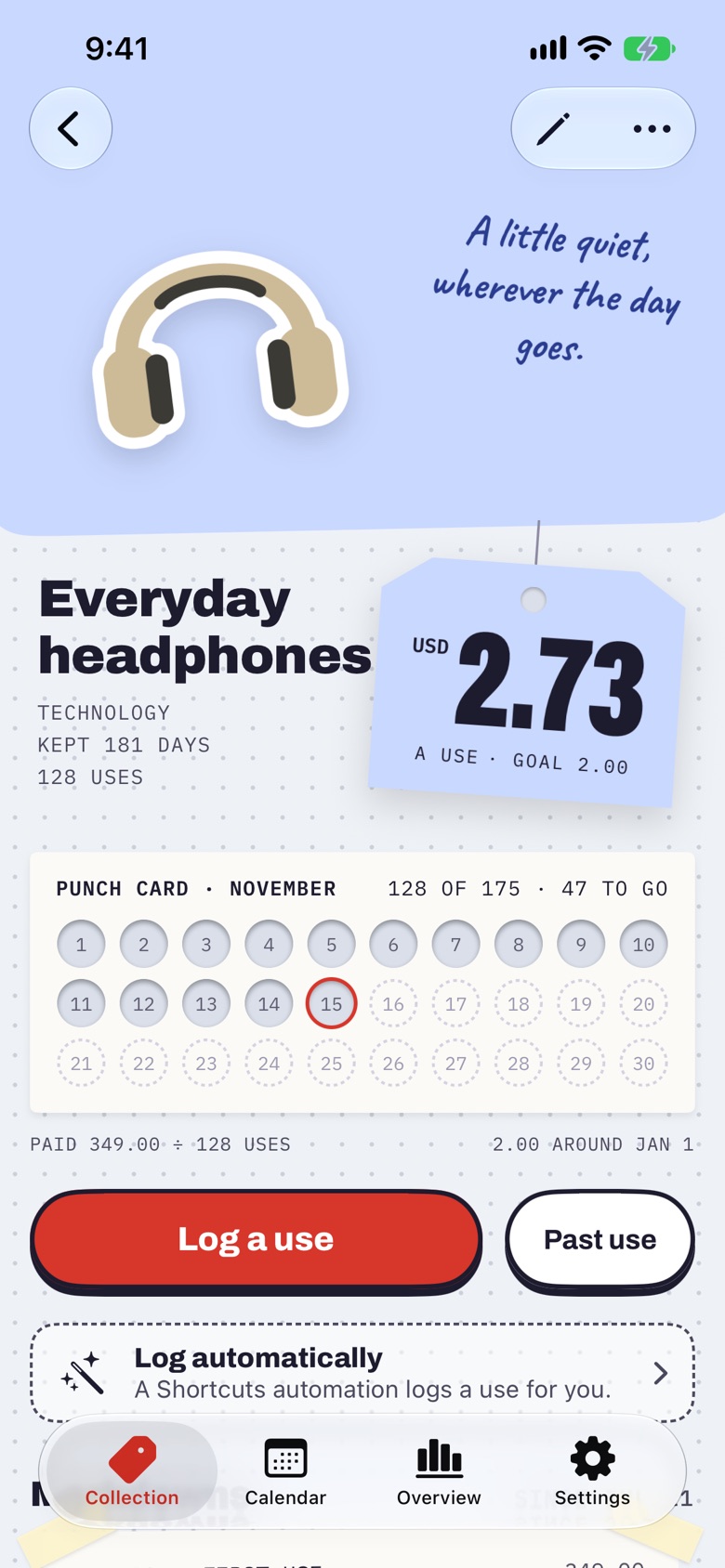
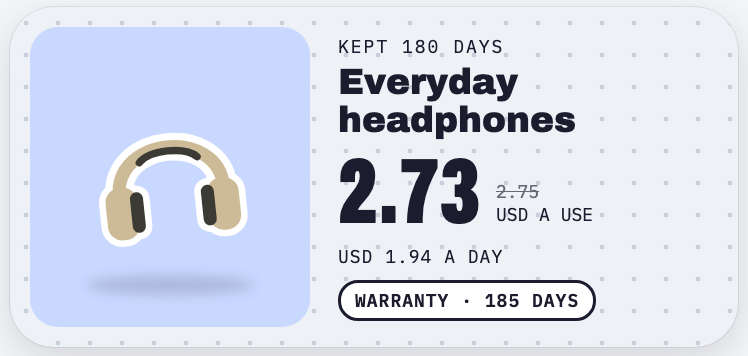
Everyday headphones2.73USD a use
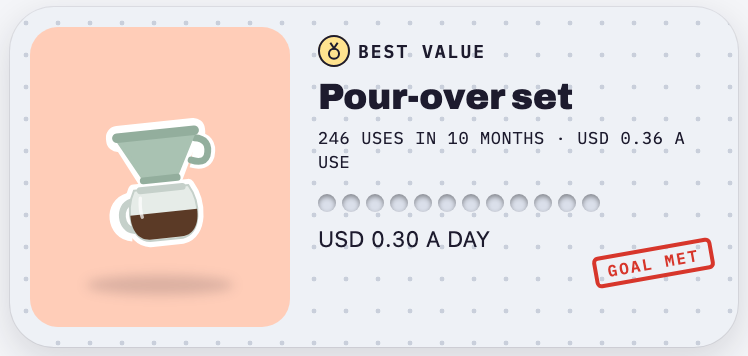
Pour-over set0.36USD a use
Goal met
Keeps 2.0 app preview · sample collection
Your collection. Everywhere you are.
iPhoneiPadMac
Know what every item costs.
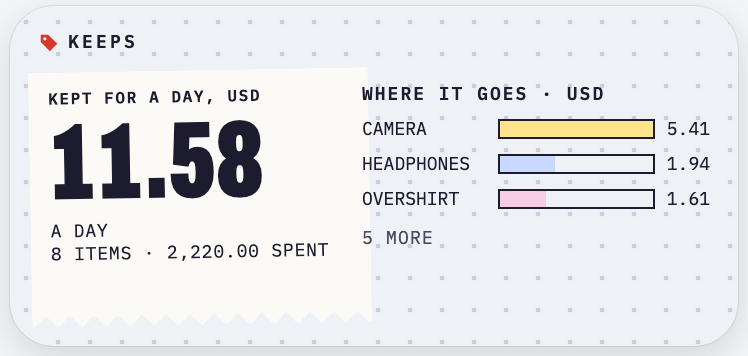
Your belongings, apps, and subscriptions in one collection. See what each costs a day or a use, what is earning its keep, and what is coming up next.
01 / The everyday value
A little use. A little markdown.
A USD 349 pair of headphones looks different after 120 listens. Log a use and watch the cost per use fall.
Prefer to keep it simple? Cost per day updates from your purchase date. You can also choose an estimated use frequency; estimates stay clearly labeled.
A goal you can punch your way toward · 2.0 app preview
Try it for yourselfExample · USD
Cost per use
per use
$
1 use500 uses
Purchase price ÷ times used. Drag the slider to see the difference.
A little help from Shortcuts
Your things can log themselves.
Connect to your car. Scan a tag on your bottle. Open your camera’s app. With an automation you set up in Apple’s Shortcuts, an everyday moment becomes a recorded use in Keeps.
Add your Duo to Keeps. In the shortcut’s Log a use in Keeps action, select your own iPhone Duo item.
In Shortcuts, set an automation to run this shortcut when your Duo opens or when it closes. Choose one trigger for one use per open-and-close cycle. Choosing both records two.
One moment. One recorded use.Interactive example · USD
01 / The trigger
Car Bluetooth connects
In Shortcuts, choose your car’s Bluetooth connection as the trigger.
02 / The action
Log a use in Keeps
Item Car charger
✓ Only once a day · On
03 / In your collectionCar charger · cost per use
per use
25 recorded uses · $39 purchase
Try the trigger to see a use land in Keeps.
A website demo using sample items, not your collection. Automations need setup on your iPhone; available triggers and run settings depend on your device and iOS version. Pick a trigger that reflects how you actually use the item.
The Collection · 2.0 app preview · sample items
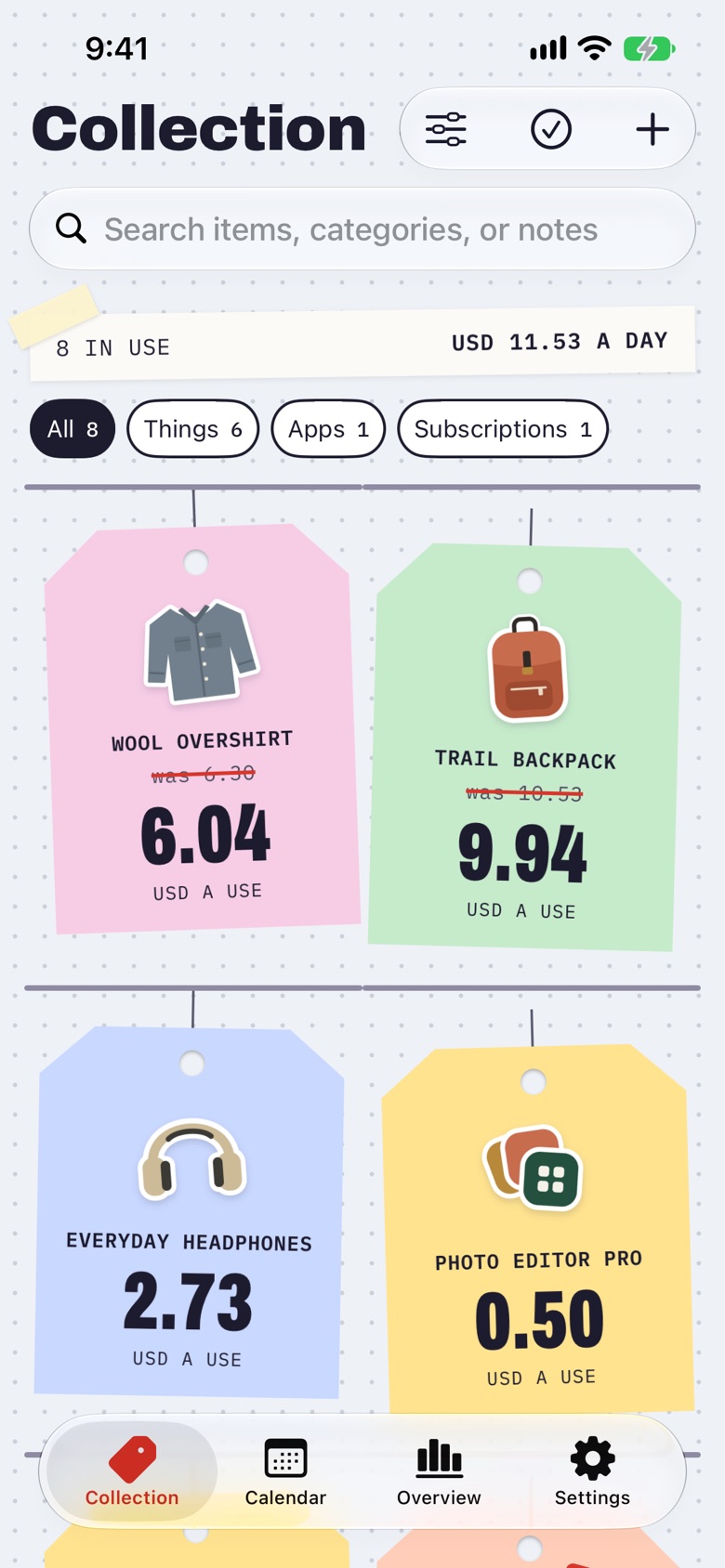
All your things. One thoughtful place.
From the big purchases to the small favorites, keep the details you’ll want to remember.
A collection that feels like yours.
Photos, categories, tags, and notes. Find what you need with search and filters, and keep purchase dates and warranties close at hand.
Seven themes, each in light and dark, with matching app icons: Keeps, Forest, Harbor, Clay, Plum, Graphite, and Midnight. A theme sets the accent for stamps, buttons, and links on the same dotted paper.
Show a photo as a cutout, a print on paper, or a full image. Keep one background for everything, or let it suit each item. No photo yet? An illustrated sticker stands in.
The accent changes. Paper, tags, and your photos keep their colors.
For everything you keep.
Physical belongings are only part of the picture.
Apps & subscriptions
Keep digital purchases alongside your belongings. See recurring costs and stay aware of upcoming renewals.
Less typing, more keeping
Bring in receipts, Amazon orders, Apple purchase history, or CSV files with Keeps Pro. Review the details before adding anything.
A story that stays with you
Record a sale or retire an item. Your original purchase and use history stay part of its story.
Free download
Start with thirty. Keep going with Pro.
A small collection is a good place to begin. Upgrade when you need more room.
Keeps Free
$0
Free download
Up to 30 items
Use logging, cost insights, widgets & Shortcuts
iCloud sync, backups & export
Add items manually or from a product web page
Keeps Pro
$1.99
Per month · US pricing
Or $9.99/year or $19.99 once.
Unlimited items
Everything in Keeps Free
Import Apple purchase history, Amazon orders, receipts & CSV files
Already bought Keeps? Keeps Pro is included. Thank you for being here from the start.
Keeps is free to download for iPhone, iPad, and Mac. Keeps Pro is optional: USD $1.99 per month, $9.99 per year, or $19.99 as a one-time purchase. Monthly and yearly subscriptions renew automatically unless canceled. Prices vary by region; the App Store shows your local price.
Your things. Your business.
No Keeps account or ads. Your collection stays on your device or in your private iCloud. RevenueCat verifies Pro purchases. In Keeps 2.0 or later on iPhone and iPad, it also receives interactions with the Keeps Pro page. Keeps does not send your collection, imported purchase history, photos, or notes to RevenueCat.
No. Cost per day works from your purchase price and date. For cost per use, record uses or choose an estimated frequency. Recorded and estimated uses are clearly distinguished. You can also set up a supported Shortcuts automation.
Can I keep apps and subscriptions here too?+
Yes. Keeps supports physical items, apps, and subscriptions. Subscriptions include billing cycles, renewal dates, and recurring costs, with optional renewal reminders.
Does it work across my Apple devices?+
Keeps is available for iPhone, iPad, and Mac. Turn on optional iCloud sync to keep your collection on devices signed in to the same iCloud account.
Can I bring my existing purchases?+
Import supported websites, Amazon orders, Apple purchase history, receipts, images, PDFs, or CSV files. Keeps gives you a review step so you can edit the details and choose what to add.
Can I send stickers in Messages?+
Yes. Open Keeps in Messages to send illustrated everyday-object stickers.
Can I take my data with me?+
Yes. Open Settings → Backup & restore and share a Keeps Backup file with your photos and use history. You can restore it into Keeps later; older JSON backups still open.